Library management
Browse tracks, albums, artists, and playlists in a desktop UI that stays readable at a glance.
Open-source music management
Fortissify keeps local music, metadata matching, and playback in one focused desktop workflow without the noise of a generic web app.
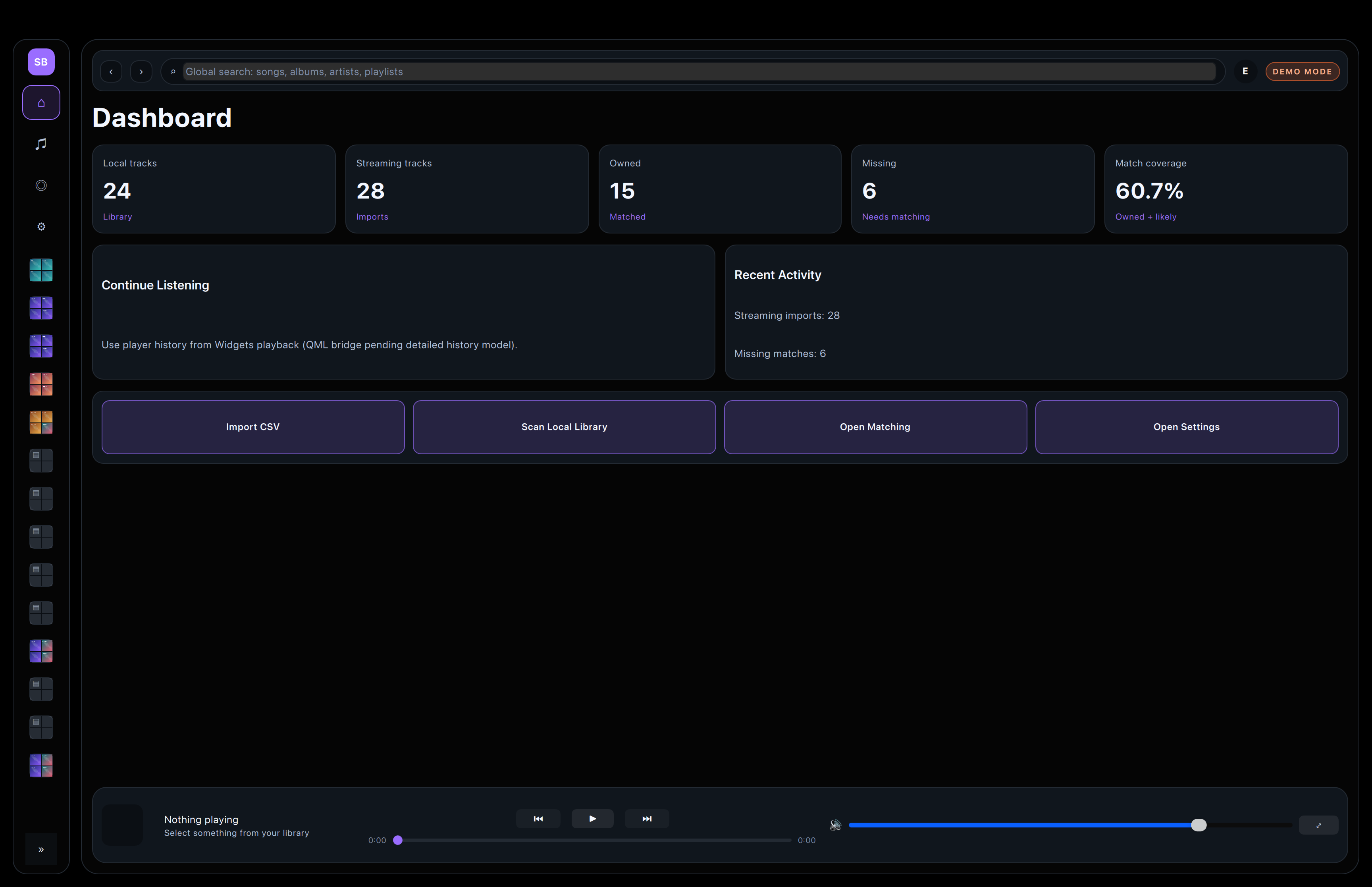
Core workflow
Organize a library, match imported playlists, inspect uncertain rows, and play music locally from the same app.
Browse tracks, albums, artists, and playlists in a desktop UI that stays readable at a glance.
Imported rows are split into clear outcomes so owned, likely owned, uncertain, and missing items stay easy to review.
Scan results and detailed tables keep library cleanup practical instead of hiding problems behind summaries.
Playback, artwork, and lyrics stay close to the library so you can inspect and listen without context switching.
Selected screenshots
The full gallery lives on the screenshots page. These are the most useful starting points.
The main entry point for scanning, importing, and moving into matching.
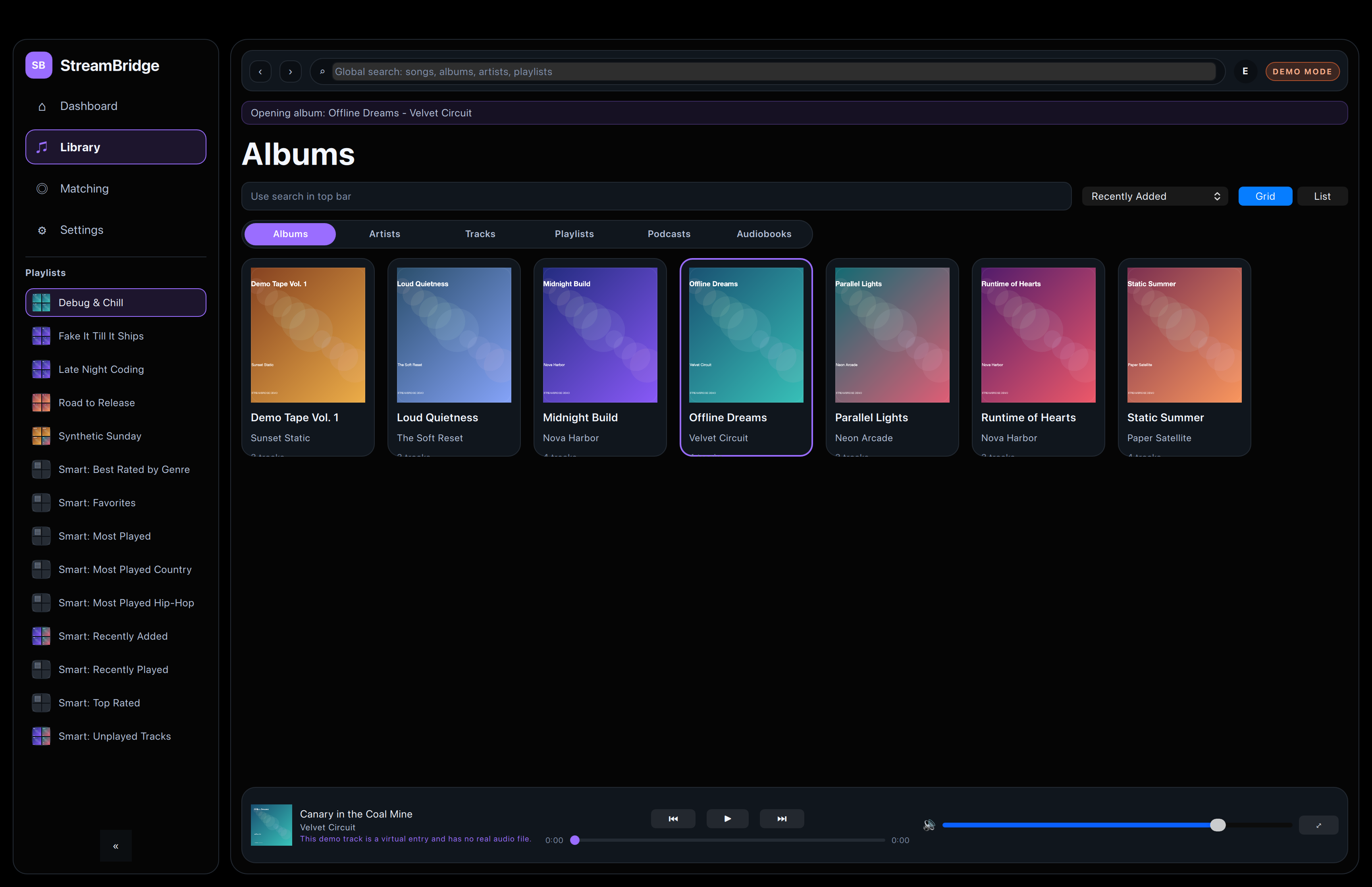
A compact library view for scanning albums and cover art quickly.
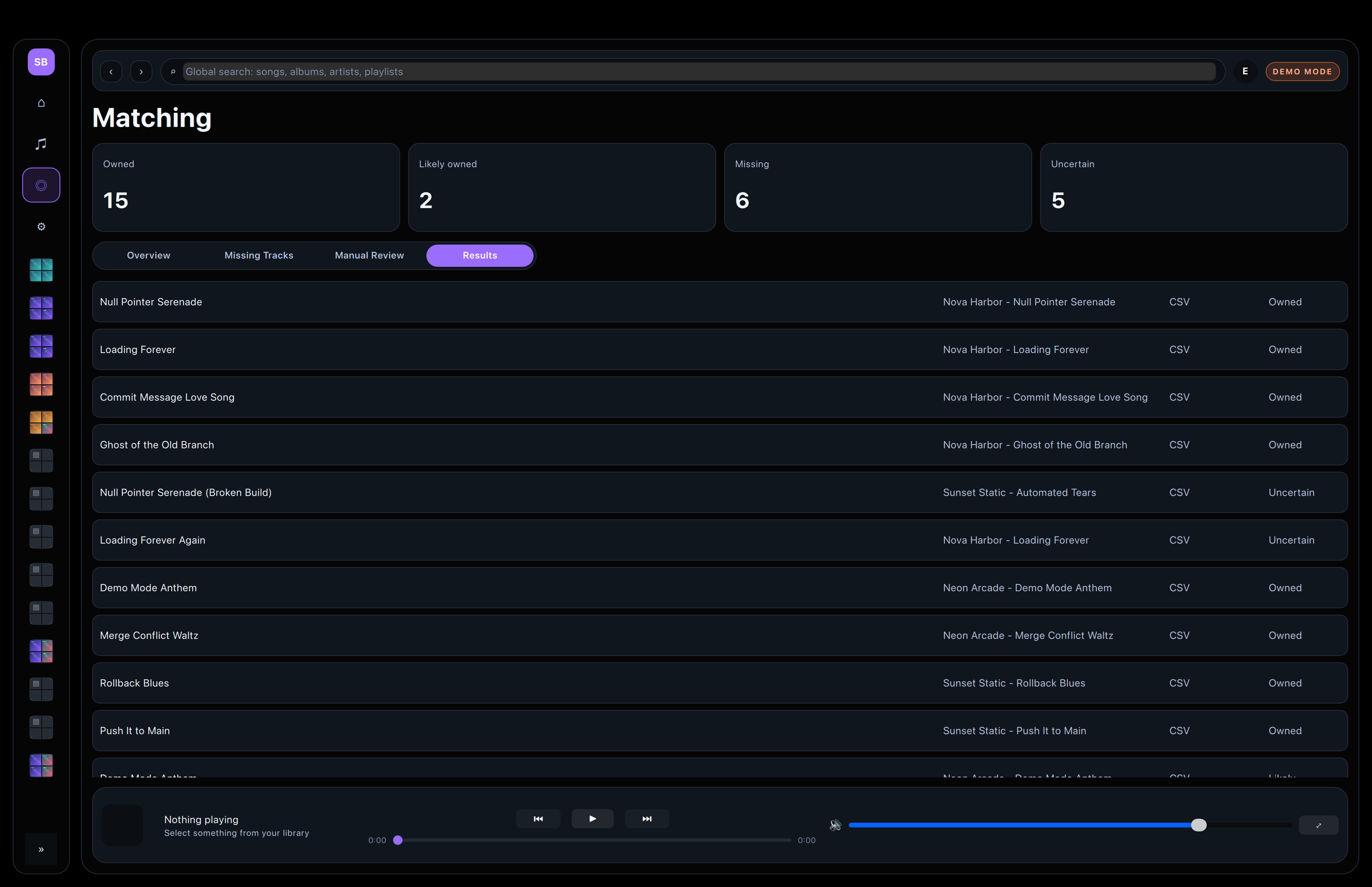
The review surface for owned, uncertain, and missing items.
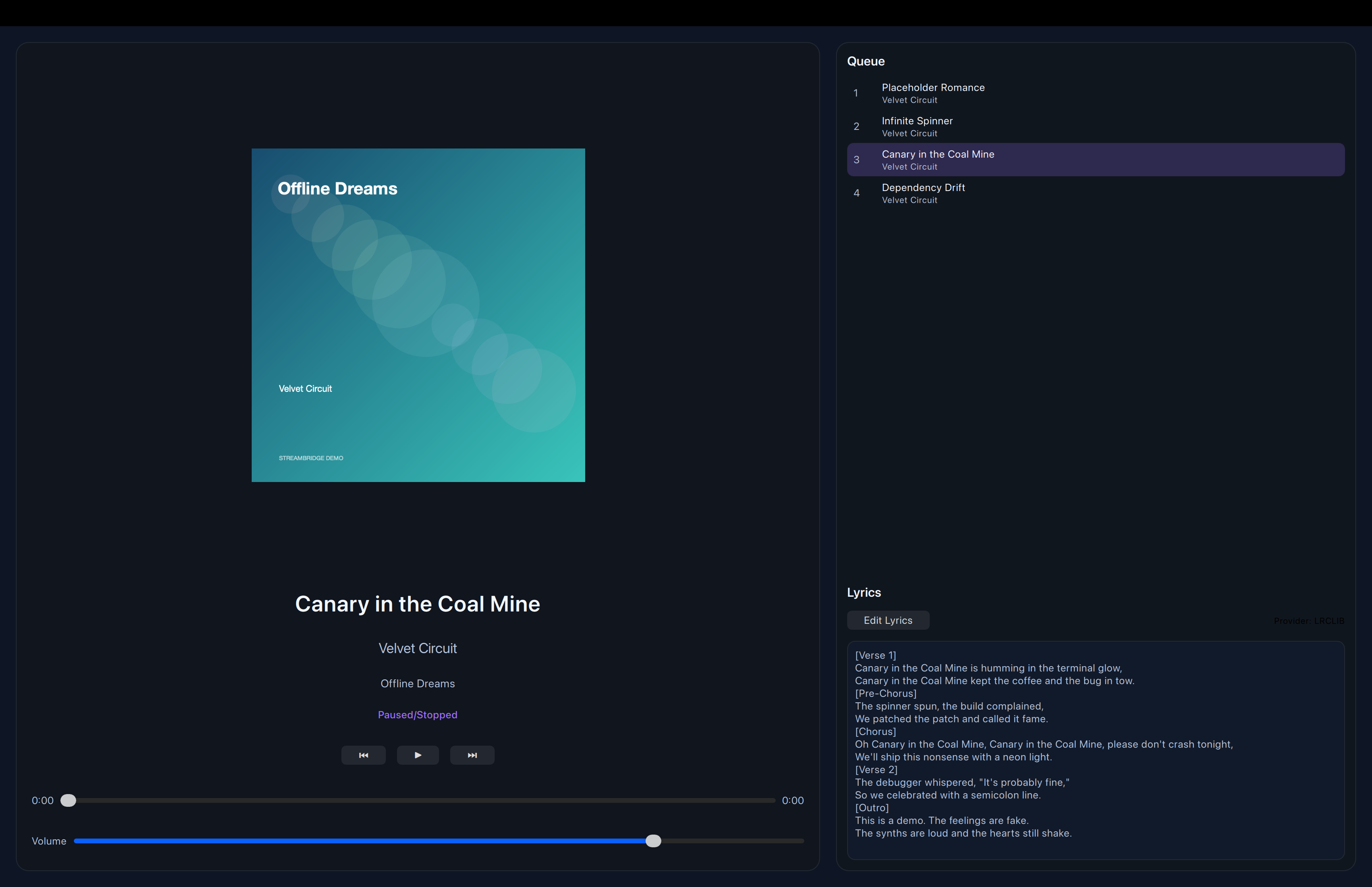
Playback, lyrics, and artwork stay together in one calm view.